In this post:
- Why a slow website costs you more than you might think
- The specific technical decisions behind our 98 PageSpeed score
- How to check your own site’s score — and what to do if it’s not great
In this post:
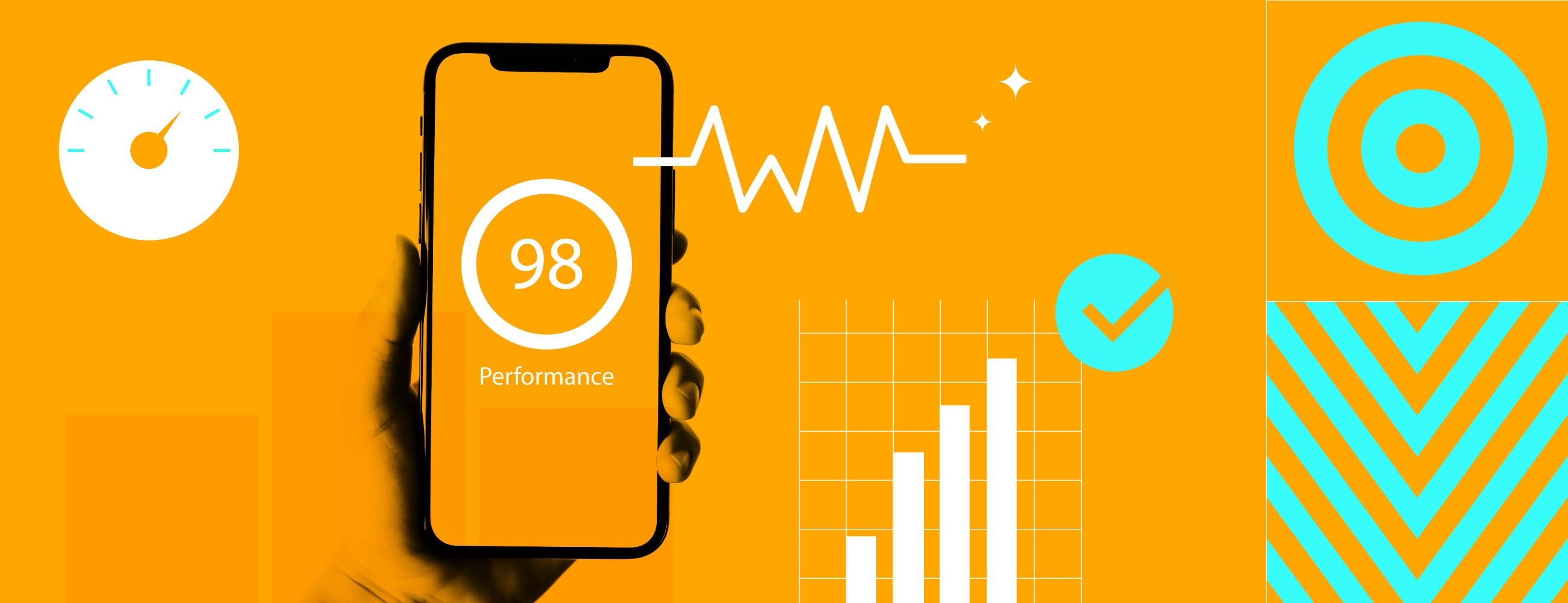
When we rebuilt the Union 10 Design website, performance wasn’t something we planned to sort out at the end — it was baked into every decision from the start. The result is a 98 score on Google PageSpeed Insights for mobile.
If you’re not familiar with Google PageSpeed or Core Web Vitals, we’ve written a full explainer here. The short version: they’re Google’s official measurements for how fast and usable your website feels to real visitors — and they directly affect your search rankings.
This post is about the how. The specific decisions we made, and why they matter for your site.
According to Google’s own research, 53% of mobile visits are abandoned if a page takes longer than three seconds to load. That’s more than half your visitors gone before they’ve seen a single thing.
And it compounds. Slow sites hurt conversion rates, increase bounce rates, and quietly damage your credibility. If your website feels sluggish, people start to wonder whether your service will be too.
If you’re running Google Ads, there’s a financial hit too — Google factors landing page experience into ad quality scores, which means a poor PageSpeed score can increase your cost per click.

Google’s own research has long shown that 53% of mobile visits are abandoned if a page takes longer than three seconds to load — and there’s no reason to think user patience has improved since then.
Here’s what actually goes into WordPress PageSpeed optimisation at this level. None of it is a quick fix — it’s the result of deliberate decisions made throughout the build.
Most off-the-shelf WordPress themes and page builders load enormous amounts of code — much of it for features you’ll never use. They’re built to do everything for everyone, which means your visitors are downloading the weight of all that flexibility whether they need it or not.
We don’t use page builders. Our theme is custom-built from scratch, and every line of code is there for a reason. We also strip out things WordPress loads by default that most sites don’t need — emoji detection scripts, embed handlers, default block styles, and dashboard icon fonts for logged-out visitors. It all adds up.
A typical WordPress site loads every script and stylesheet on every page, whether it’s needed or not. Got a slider on your homepage? That slider code loads on your contact page too. Got a lightbox on your portfolio? It loads on your blog posts as well.
We took a different approach. Every custom block on our site declares exactly which scripts it needs. If a page doesn’t use that block, the code never loads. Our video lightbox library only loads on pages with video blocks. Our carousel library only loads on pages with carousels. Our animation files are split into 18 separate page-specific scripts — each one only loads when the page actually calls for it.
The result is that a simple text page loads almost no JavaScript at all, while a feature-rich page gets exactly what it needs and nothing more.
We use Tailwind CSS, a modern framework that scans our template files and generates only the styles that are actually used. There’s no massive stylesheet full of unused rules — if a style isn’t referenced anywhere in our code, it doesn’t exist in the final file.
We also remove WordPress’s default block library styles entirely. Tailwind handles everything, so there’s no duplication.
Custom fonts can be one of the biggest hidden performance costs if they’re not handled properly. We tackled this in three ways.
First, we use WOFF2 — a modern compressed font format that’s a fraction of the size of older formats. Second, we preload our critical fonts so the browser starts fetching them before it even encounters them in the stylesheet. Third, we use font-display: swap, which means the browser shows your content immediately using a system font, then swaps in the custom font once it’s ready. No blank text, no waiting.
We also make a deliberate choice about which fonts count as critical. Our heading and body fonts are preloaded. A secondary font used on just a few pages isn’t — because preloading everything defeats the purpose.
Every image on our site is served in the right size for the device viewing it. There’s no point sending a 2000-pixel desktop image to someone on a phone over a mobile connection.
We generate multiple versions of each image — up to five different widths — and let the browser pick the best one. We serve WebP format where supported (much smaller files, same quality) with a JPG fallback for older browsers. And every image below the fold is lazy-loaded by default, meaning it only downloads when you’re about to scroll to it.
We’ve also disabled WordPress’s default behaviour of generating oversized 2560-pixel versions of uploaded images, because for most sites, they’re never needed and just waste storage and bandwidth.
We use video on our site, but we don’t let it tank performance. Videos only load their metadata initially — not the actual video file. The full video only starts downloading when it’s about to come into view.
We also serve different video sizes depending on the device: 480px for phones, 720px for tablets, 1080px for desktops. And if you rotate your phone from portrait to landscape, the video will upgrade to a higher-quality source — but it’ll never downgrade mid-watch, because re-buffering is a worse experience than keeping the current quality.
All of our JavaScript loads with the defer attribute, which means it never blocks the page from rendering. The browser downloads the scripts in the background while it builds the page, and only executes them once the page structure is ready. You see the content immediately.
We use GSAP for our scroll-triggered animations, but smooth scrolling effects are disabled on touch devices entirely — because on mobile, native scrolling feels better and performs better. Scroll-triggered animations run once and then stop watching, so they’re not consuming resources after they’ve done their job.
When we build the site for production, our build process minifies all JavaScript and CSS, removes every console.log statement left over from development, and strips out source maps. The result is the smallest possible files, with nothing in them that isn’t serving your visitors.
You don’t need to understand the technical detail — that’s our job. But a fast website directly affects:
FAQs
If you have a question, please use our short form here to send it over. We’re always happy to chat.
Google uses landing page experience as part of its Quality Score calculation for ads. A slow or poorly optimised landing page can result in a lower Quality Score, which pushes your cost per click up and your ad position down. Improving your PageSpeed score is one of the few changes that can improve both your organic rankings and your paid performance at the same time.
Yes, although how much depends on how it’s currently built. Quick wins include optimising images, removing unused plugins, and deferring JavaScript. Bigger improvements usually require a developer — particularly if you’re using a heavy theme or page builder. If you want to know where your site stands, run it through Google PageSpeed Insights and we’re happy to talk through what the results mean.
Not necessarily — but it helps significantly. A well-configured lightweight theme can perform reasonably well. The problem is most popular themes come with too many features and too much code baked in. A custom theme gives you complete control over what loads and when, which is how you get to scores like 98. It’s harder to achieve that level of optimisation when you’re working around someone else’s framework.
Most WordPress sites are built with off-the-shelf themes and page builders that prioritise flexibility over performance. They load code for every feature they offer, whether your site uses those features or not. The result is a heavy, slow site by default — and caching plugins can only do so much to mask the underlying bloat. Scoring well requires building the site properly from the start, not patching it afterwards.
Here’s a challenge: run your current website through Google PageSpeed Insights and see what comes back. It’ll show your score out of 100 — colour-coded green, orange, or red — along with exactly which areas are holding you back.
Most WordPress sites using off-the-shelf themes and page builders score somewhere in the 30–60 range on mobile. Some are much worse. If you’re not happy with what you see, that’s a conversation worth having.
Whether you’re planning a new website build or your current site is struggling with speed, we’d love to chat. Performance is built in from the start — it’s not something you bolt on at the end. And as our own site shows, a WordPress website can absolutely be fast when it’s built properly.
Written by Jane Comar, reviewed by James Hofton
Last updated: 30 July 2026
© Copyright 2026 Union 10 Design